


Understanding what a frame is in animation is the first step in grasping the essentials of motion graphics.
Whether you’re working with traditional animation techniques or employing digital tools like Adobe Animate or Blender, the concept of a frame remains vital.
Each frame is a single image, and when displayed in rapid succession, these frames create the illusion of motion—this is the essence of animation.
In this article, you’ll learn how frames are constructed, the way they contribute to seamless animation, and the differences between various animation techniques such as stop motion and rotoscope animation.
By the end, you’ll have a clear understanding of the critical role each frame plays in crafting compelling animated sequences and be well-equipped to start your own animation projects.
We’ll cover core concepts, different types of frame-by-frame animation, modern enhancements, and practical steps for creating your own animations.
What is a frame in animation?
A frame in animation is a single image in a sequence that creates the illusion of movement. When these frames are shown in rapid succession, they simulate motion.
Understanding what is a frame in animation is key to mastering any animation technique, from traditional hand-drawn to digital methods.
Core Concepts of Frame-by-Frame Animation
The Anatomy of a Frame
Composition of images and timing.
In frame-by-frame animation, each frame is a single image. Put together, these images create a moving sequence.
The precision in how these images are composed and timed plays a crucial role. Character rigging, layout animation, and the animation timeline are essential elements.
The relationship between frame rate (FPS) and motion smoothness.
Frame rate, measured in frames per second (FPS), dictates how smooth or choppy an animation appears. Higher frame rates produce smoother motion. In both traditional and digital animation, achieving the right FPS is vital for believable motion.
How Frames Create Motion
Sequential display of images.

Motion is an illusion created by the rapid succession of still images. Sequentially displaying these frames on a screen makes individual images come to life. It’s the backbone of techniques like hand-drawn animation and digital methods in Maya or Adobe Animate.
Difference between frame-by-frame and tweened animation.
Frame-by-frame animation involves creating each individual frame. In contrast, tweened animation (tweening) generates intermediate frames between key poses, often with digital tools.
While the former offers full control over every detail, the latter improves efficiency, particularly when using software like Blender or Toon Boom Harmony.
Types of Frame-by-Frame Animation
Traditional Techniques
Hand-Drawn Animation
Creation of each frame by hand.
In hand-drawn animation, every frame is crafted meticulously by an artist. This method is deep-rooted in the tradition of studios like Walt Disney Animation Studios and Studio Ghibli.
The process begins with drafting each frame, ensuring continuity and detail in character movements and backgrounds.
Process of photographing or scanning frames.
Once the frames are drawn, they must be captured. Typically, this involves photographing the frames with a specialized camera or scanning them into a computer for digital composition.
This ensures that each hand-drawn frame is accurately represented in the final animation.
Flipbook Animation
Manual flip-through method.

Known for its simplicity, flipbook animation is where the magic begins for many animators. Drawing sequential frames on pages and then flipping through them creates the illusion of motion.
Example applications and creative uses.
Widely used in fun, quick animations, flipbook animation can be seen in early cartoons and experimental short films. It’s a hands-on way of grasping the fundamentals of frame sequencing.
Rotoscope Animation
Tracing live-action footage for realism.
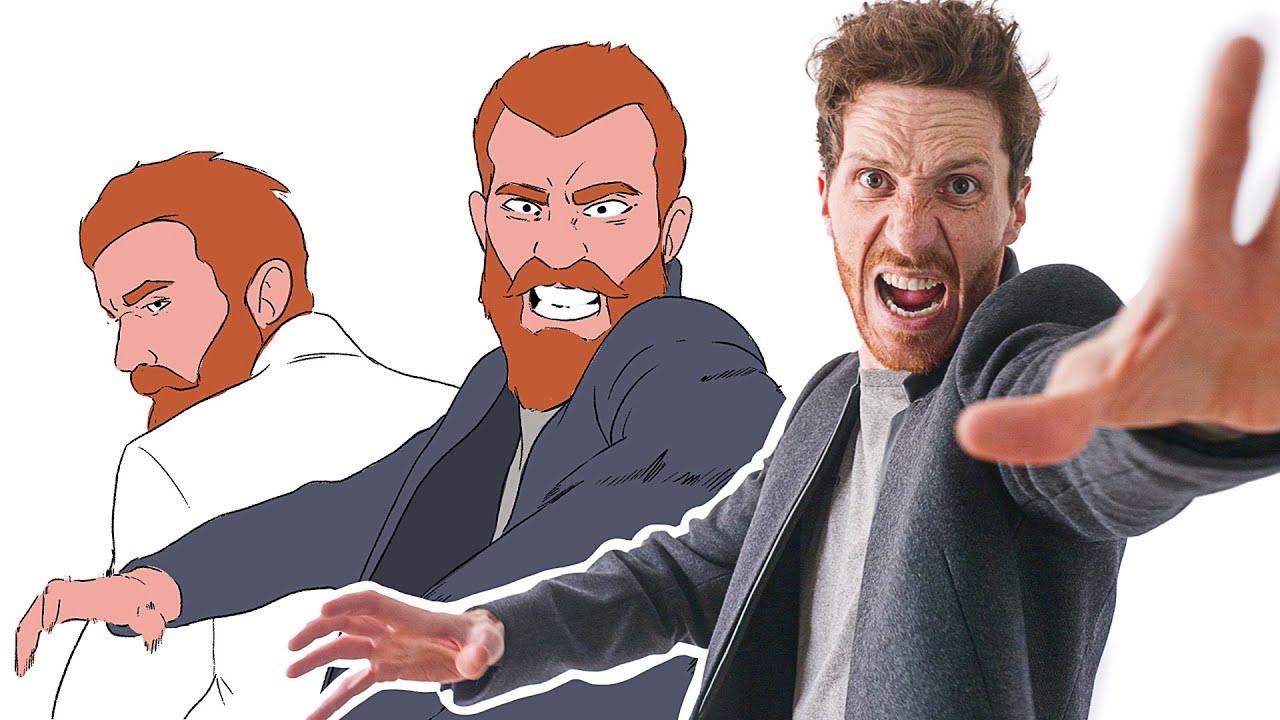
Rotoscoping involves tracing over live-action footage. This technique provides a realistic motion that’s hard to achieve otherwise. Developed originally by Max Fleischer, it has evolved considerably over time.
Evolution from traditional tracing to digital tools.
While traditional rotoscoping involves manual tracing over film, digital tools like Adobe Animate and Blender have streamlined the process. These tools allow for greater precision and flexibility, making rotoscoping more accessible and efficient.
Stop Motion Animation
Photographing objects in incremental movements.
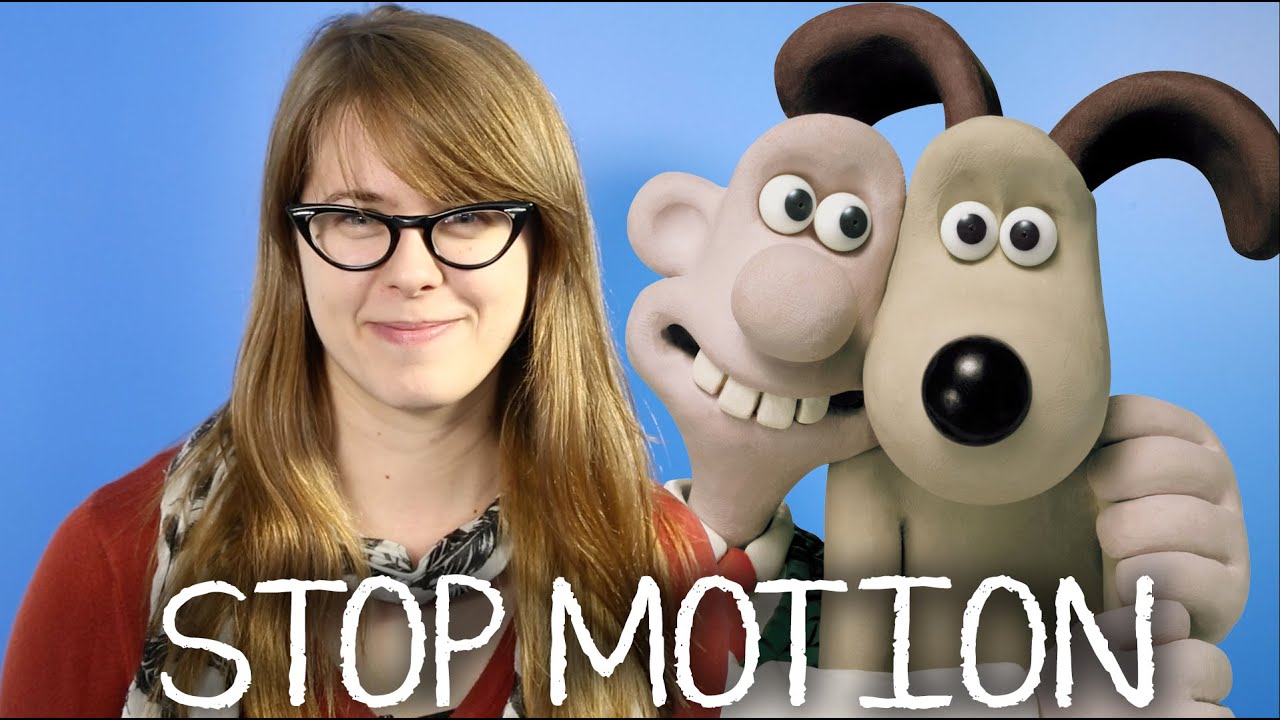
Stop motion animation breathes life into physical objects. By photographing objects frame by frame and adjusting them incrementally, animators produce a fluid motion sequence.
Styles of stop motion:
Object animation.
This style involves manipulating objects like toys, buttons, or everyday items.
Lego and action figures.
Known for its popularity among hobbyists and professionals alike, animating Lego and action figures adds a playful yet intricate dimension to the frame-by-frame process.
Clamation.
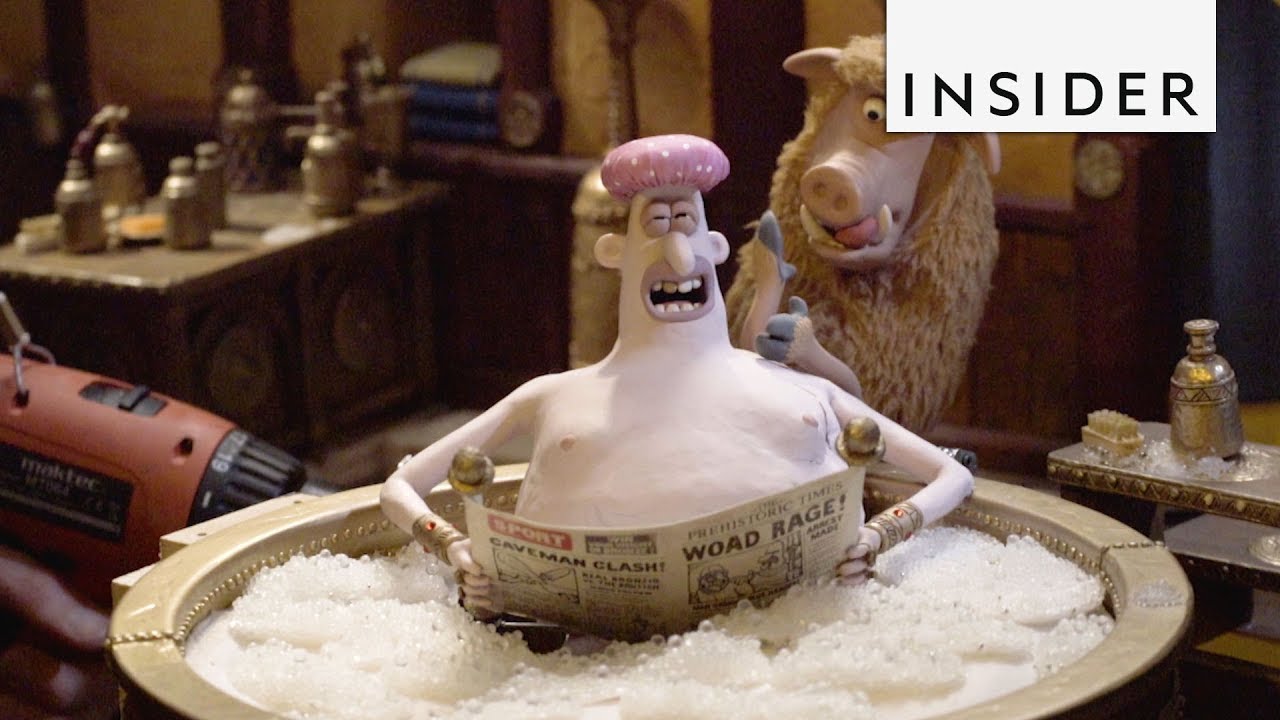
Claymation uses malleable materials like clay to create characters and scenes. It’s a versatile method seen in works by studios like Aardman Animations.
Puppetry.
Now, puppets crafted specifically for stop motion have jointed parts, allowing for detailed and consistent movements.
Cutouts and silhouettes.
Cutout animation involves moving paper or fabric pieces frame by frame. Silhouette animation, a sub-type, uses backlighting to highlight usually black foreground shapes against a brightly lit background.
Pixilation.
This technique works with live actors posing frame by frame to create a choppy, surreal motion effect.
Modern Enhancements in Frame-by-Frame Animation
Digital Tools and Software
Role of tools like Maya, Blender, and Adobe Animate.

Digital tools have pushed the boundaries of frame-by-frame animation. Maya and Blender are heavyweights in 3D animation, providing a versatile set of features for creating everything from character rigging to detailed textures.
Adobe Animate, on the other hand, is a staple for 2D animations, renowned for its user-friendly interface and powerful vector-based capabilities.
Advantages of digital platforms over traditional methods.
Traditional methods are labor-intensive. In contrast, digital platforms offer efficiency, flexibility, and a vast array of creative possibilities.
Real-time editing, better resource management, and enhanced visual effects are some of the benefits these tools provide.
Smoother workflows mean more time can be spent on creativity rather than tedious tasks.
Techniques for Efficiency
Tweening for generating in-between frames.

Unlike the laborious process of drawing each frame individually, tweening automates the creation of in-between frames. This makes animation smoother and less time-consuming.
Software like Blender and Toon Boom Harmony excels in this area, allowing animators to focus more on keyframes and overall movement rather than getting bogged down by minute details.
Rigging for character movement control.

Character rigging is a game-changer. Rigging creates a skeleton for the character, making animation much more manageable.
It allows for consistent, fluid movements without redrawing each frame. This technique is crucial for complex animations, providing a framework that can be easily manipulated to show dynamic movements.
Onion Skinning for maintaining movement consistency.

Onion skinning is another invaluable feature in many digital tools. It lets you see multiple frames at once, usually as semi-transparent overlays.
This helps maintain consistency in movement and ensures that transitions between frames appear natural. Keeping track of changes is simpler, leading to more precise and accurate animations.
Steps to Create Frame-by-Frame Animation
Initial Preparations
Setting project goals and target audience.
Before diving in, it’s crucial to define clear project goals. Are you aiming for a short film, an explainer video, or a series of social media clips?
Identifying your target audience will influence both the content and style. Knowing whether you’re animating for kids, professionals, or a niche community sets the direction.
Choosing the appropriate animation style.
The chosen style will shape the entire production process. Traditional animation, stop motion, and digital animation each bring unique strengths and challenges.
Think through the look and feel you want. For example, Toon Boom Harmony for 2D animations or Maya for 3D works.
Creating scripts and storyboards.
Scripts are your roadmap. They outline dialogue, action, and pacing. Following this, storyboards visualize each scene, offering a preliminary glimpse into the sequence and composition of your frames.
It’s crucial to get this step right; it lays the groundwork for everything that follows.
Production Process
Drafting keyframes and base sketches.
Begin by drafting keyframes, the pivotal points of your animation. Think of keyframes as the skeleton; they mark the main actions and poses.
Between these, base sketches can be fleshed out to give a sense of continuity. These initial drafts are essential for ensuring the animation flows smoothly.
Filling in intermediate frames for fluid motion.
Now, it’s time to create the intermediate frames, also known as in-betweens. This is where digital tools like Adobe Animate come into play.
They can automate parts of this process, making it less labor-intensive. These frames fill the gaps between keyframes, creating the illusion of seamless motion.
Adding final touches using animation software.
Refinement is key. Tools like Blender offer immense flexibility here. Add textures, shadows, and other fine details that bring your scenes to life. It’s in these final touches where an animation truly shines, moving from good to exceptional.
Playback and Refinement
Testing the sequence for consistency.
Playback is your quality check. Run through the animation to spot inconsistencies or jarring transitions.
This is where techniques like onion skinning can be invaluable, showing multiple frames simultaneously to ensure smooth motion.
Adjustments and corrections based on playback results.
Fine-tuning based on playback findings is a critical step. Whether it’s tweaking frame rate, adjusting timing, or fixing character movements, these corrections ensure the final product is polished and professional.
Smaller adjustments might include timing and spacing tweaks or adding additional in-betweens for smoother sequences.
Artistic and Practical Considerations
Artistic Freedom and Creativity
Customization of characters, settings, and movements.
One of the most liberating aspects of animation is the ability to tweak every detail. Characters can be exaggerated, settings can be drawn from imagination, and movements can break the boundaries of physical laws.
Whether you’re working on traditional frame-by-frame animation in TVPaint Animation or digitally in OpenToonz, the level of customization is unparalleled.
Blending traditional and modern animation techniques.
Combining the old with the new elevates the art. Imagine using Adobe Animate to create digital in-betweens, while keeping the authentic texture of hand-drawn frames for key moments.
This blend not only makes animation more efficient but also retains its soulful touch. Mixing rotoscope animation with stop motion can open doors to unique visual storytelling.
Practical Aspects
Budgeting for equipment, materials, and software.
Animation can be expensive. Costs pile up from purchasing high-end software like Maya or Cinema 4D to acquiring physical equipment for stop motion animation.
Decide on your tools early on. This helps in allocating funds for essentials— whether it’s a good scanner for hand-drawn frames or professional cameras for stop motion. Budgeting is critical to avoid running out of resources midway.
Time investment in frame-by-frame creation.
Frame-by-frame animation demands a serious time commitment. Crafting each frame, whether by hand or digitally, is a time-intensive process. Planning is paramount. Break tasks into achievable daily goals.
Using tools like Blender can speed up certain aspects like rigging and onion skinning, but the time factor will always be significant. Allocate your days wisely; each frame builds the story.
FAQ on Frames In Animation
How does frame rate affect animation?
Frame rate, measured in frames per second (FPS), determines how smooth an animation appears. A higher frame rate results in more fluid motion.
Common frame rates in the industry include 24 FPS for films and 30 FPS for television and web content.
What are keyframes in animation?
Keyframes are the primary frames that define the start and end points of any smooth transition. They’re crucial in creating the basic structure of your animation.
Tools like Maya and Toon Boom Harmony make managing keyframes more efficient by simplifying their creation and manipulation.
How do you create in-between frames?
In-between frames, or “tweening,” fill the gaps between keyframes to create seamless motion.
This can be done manually in traditional animation or automatically using software like Blender or Adobe Animate, which can generate these frames based on the keyframes you set.
What tools can be used for frame-by-frame animation?
There are various tools available for both 2D and 3D animations. Popular software includes Adobe Animate for 2D animations and Maya for 3D animations.
Blender is a versatile option that offers robust capabilities for both beginners and professionals.
How do frames contribute to motion?
Frames displayed in rapid sequence create the perception of motion. Each frame is slightly different from the last, which tricks the eye into seeing continuous movement.
This principle is fundamental whether you’re working with traditional cell animation or modern digital techniques.
What is the difference between frame-by-frame and tweened animation?
Frame-by-frame animation involves creating each frame individually, ensuring full control over every detail.
Tweened animation, or “tweening,” uses digital tools to automatically generate in-between frames. This method saves time but might lack the detailed touch of frame-by-frame animation.
Why is onion skinning important in animation?
Onion skinning allows you to see multiple frames at once, usually as semi-transparent overlays. This helps maintain consistency and ensures smooth transitions between frames.
Tools like TVPaint Animation and OpenToonz offer robust onion-skinning features to make this easier.
How do you test an animation sequence?
Testing an animation sequence involves playing back the frames to check for consistency and smoothness.
Adjustments can be made based on the playback results. Software like Blender enables real-time playback and edits, making it simpler to refine the animation until it’s just right.
What are the advantages of digital animation over traditional methods?
Digital animation offers several advantages, including real-time editing, easier frame management, and a wide array of creative tools.
Software like Maya and Adobe Animate allow for more efficient workflows, better resource management, and enhanced visual effects without the physical limitations of traditional methods.
Conclusion
Understanding what is a frame in animation is essential for anyone interested in creating compelling motion graphics. Each frame acts as a building block, contributing to the seamless illusion of movement we see on screen. Whether you’re diving into traditional animation techniques or leveraging digital tools like Blender and Adobe Animate, the principles remain the same. The choice of software and techniques, such as rotoscope animation or stop motion, influences the final output but doesn’t change the core idea.
Frames need to be carefully crafted and thoughtfully sequenced. From drafting keyframes to adding in-between frames, every step counts. Utilizing features like onion skinning can significantly improve consistency. And don’t forget the importance of frame rate (FPS), which directly impacts the smoothness of your animation.
By mastering the use of frames, you can elevate your animation projects, ensuring they are both dynamic and visually cohesive. Dive into the world of animation with this foundational knowledge and explore the endless possibilities it offers.


